Extension Topic: Matariki

Interactive Display Board with Makey Makey + Scratch

Platform
Digital Technologies Progress Outcomes
[CTDT] = PO2
Writing an event-driven Scratch program
Managing multiple components and understanding how they work together as a system
Systematically testing and debugging a full system
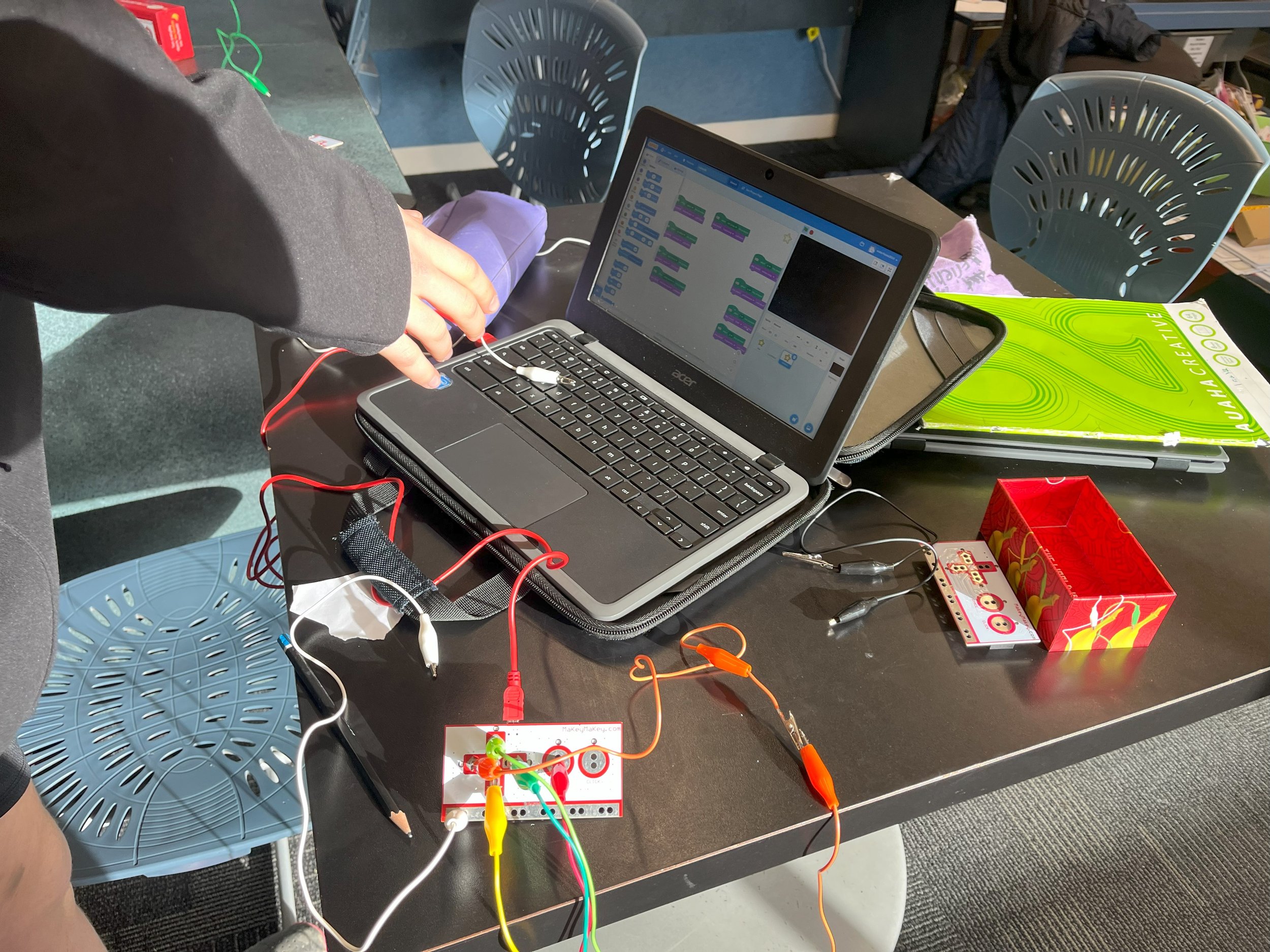
Understanding that the Makey Makey acts as an input device within a digital system, passing signals to Scratch which processes them to produce an output
[DDDO] = PO2
Designing and creating a purposeful multimedia outcome
Making intentional design decisions to support user experience
Working through a structured multi-stage production process
Evaluating an interactive digital system that connects effectively with an audience
Cross-Curricular Links
Social Sciences / Aotearoa NZ Histories
Engaging with the cultural significance of Matariki
Researching, evaluating sources, distilling information, writing, creating, and delivering multimedia content for an audience
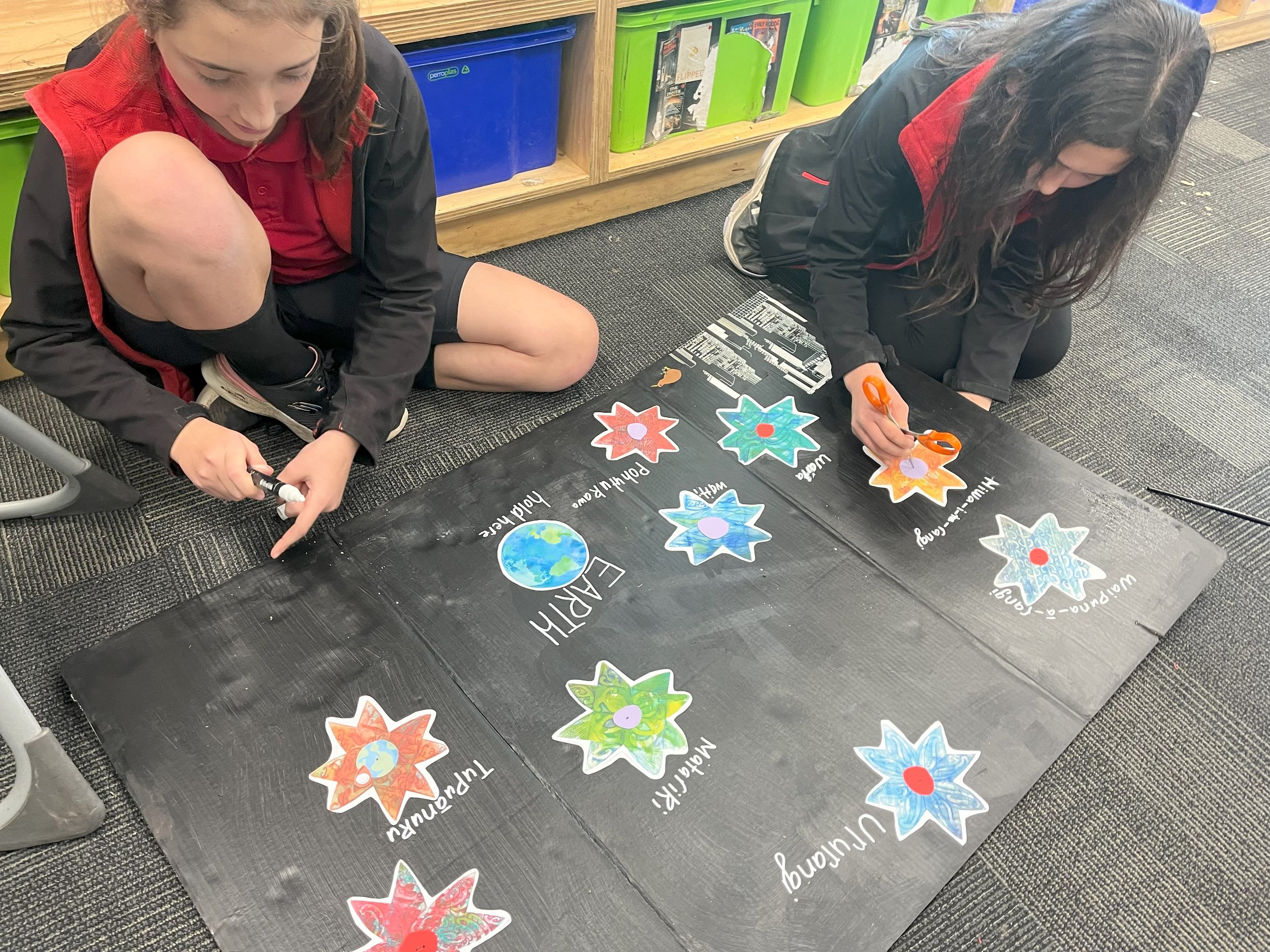
Design and construction, making purposeful aesthetic decisions about layout, colour, materials, and presentation
Basic electrical concepts, understanding conductivity and completing a circuit
Year Levels
Y5-6 (Guided, scaffolded research, programming, and construction; small-group project with shared roles)
Y7-8 (Supported, with more autonomous roles)
Y9+ (Independent)
Duration
Y5-6 = 5+ lessons
Y7+ = 4+ lessons
Resources
Differentiation
Particularly for younger learners, limit the scale of the project to an A4 or A3 size piece of paper.
Stretch the activity into a unit plan by spreading the workload over multiple session, focusing on research, design, programming and construction.
Zoom in on the topic and assign a single star of the Matariki cluster to each group, in order to increase focus and thorough scope of research on specific whetū.
Extension
Create a virtual presentation completely in Scratch based on the same extension topic, using this guide:
About Activity
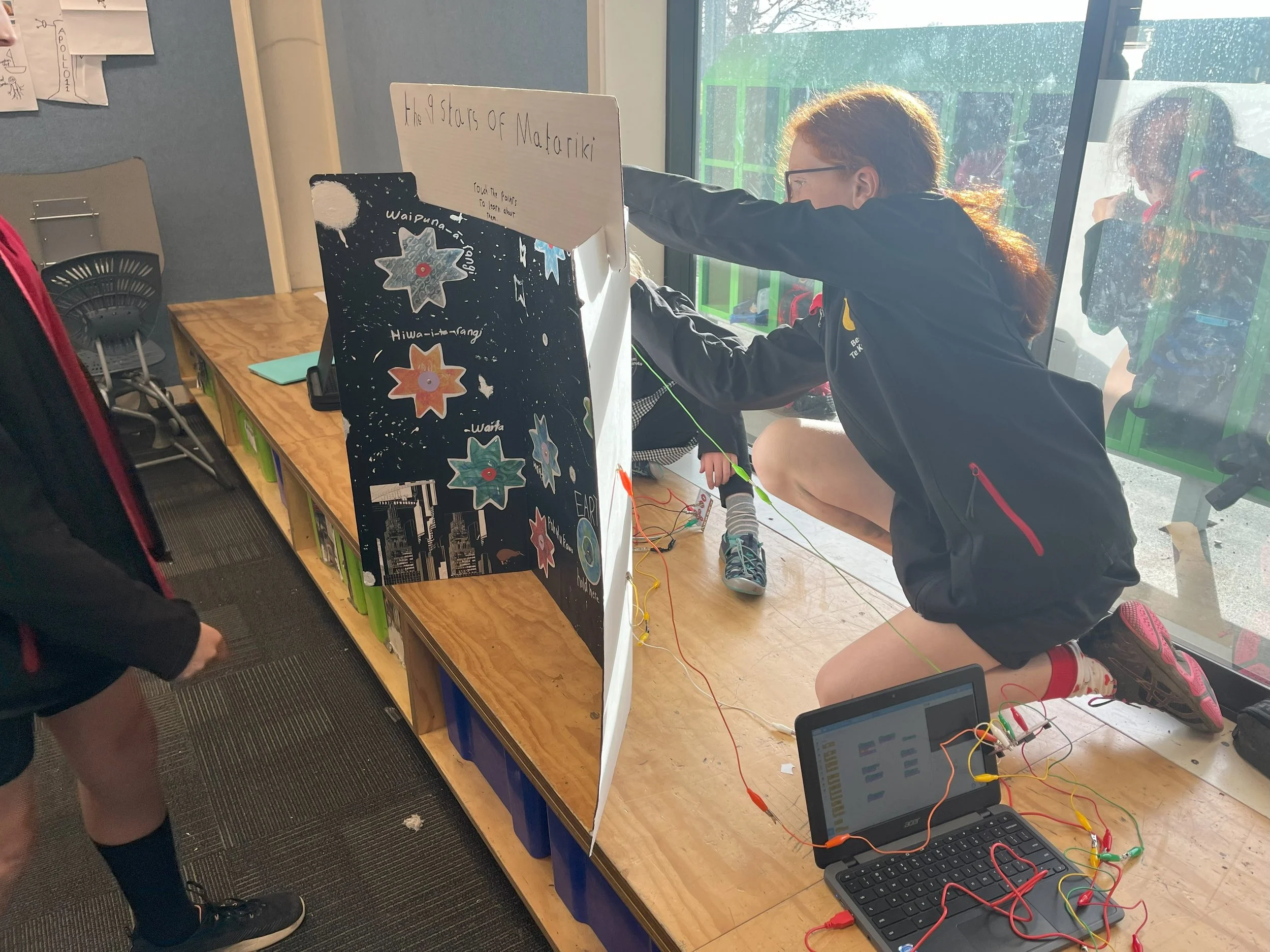
This extension topic pairs with the Interactive Display Board template activity to focus the project on Te Kāhui o Matariki, the Matariki star cluster.
Follow the template activity guide along with the content focus of the Matariki extension guide to create an interactive multimedia presentation that brings together skills in research, literacy and oratory, arts and crafts as well as digital technologies.
Learners will work independently or as a team to investigate the extension topic, distill information, capture sound, program controls, construct a display and complete a circuit that lets users interact with the presentation to learn about Te Iwa o Matariki, the nine stars of Matariki.
Using the Template + Extension Guides
This is an extension topic guide and must be used together with the Interactive Display Board template activity guide. The extension provides Matariki topic content while the foundational template guide contains the programming and other instructions to create the project. Both guides are needed to complete this activity.
Extension Topic Activity Guide
Teachers should consider:
Hardware & Materials Preparation as a pre-lesson task.
Group Assignments and logistics, including student collaboration and content focus.
Digital Safety & Wellbeing to make sure device use is safe, supervised, and purposeful throughout, as this activity can involve using the internet for research as well as accessing Scratch.
General Guidance
Set clear expectations around safe and purposeful device use at the start of each lesson.
If ākonga encounter content that feels inappropriate, confusing, or upsetting during research, they should know they can flag this with kaiako without concern.
Remind ākonga of your school's digital use agreement before beginning any lesson that involves internet research or use of a third-party platform.
Before the activity
Consider reviewing and pre-selecting a set of reliable, age-appropriate sources, rather than open internet searching.
Familiarise yourself with Scratch (scratch.mit.edu) and the settings that control how saved projects are visible publicly to others.
During the activity
Supervise internet use throughout, circulating actively to monitor and support ākonga.
Use the FACT framework in the template activity guide as a live tool during research.
Discuss openly what is and isn't appropriate to include in a Scratch project.
Encourage ākonga to treat all sources about Matariki, particularly those representing mātauranga Māori, with respect and care as it’s part of a living, culturally significant body of knowledge.
Lesson Progression Guide
Y5–6 | 5+ Lessons (Guided, Group Project)
Lesson 1 — Assignments & Research
Lesson 2 — Research & Note Taking
Lesson 3 — Script Writing & Audio Recording
Lesson 4 — Scratch Programming
Lesson 5 — Display Board Construction
Lesson 6 — Circuitry & Full System Testing
Lesson 7 — Debugging & Refinement
Lesson 8 — Sharing & Celebration
Y7+ | 4+ Lessons (Guided to Independent, Group Project)
Lesson 1 — Introduction, Research & Planning
Lesson 2 — Audio Recording & Scratch Programming
Lesson 3 — Display Board Construction
Lesson 4 — Circuitry, Testing & Debugging
Lesson 5 — Refinement & Extension
Lesson 6 — Sharing & Reflection