
Staying Safe Online: Practical Tips for Young People and Volunteers at Code Club Aotearoa
The internet is an incredible place to learn, create and connect. At Code Club Aotearoa, tamariki use it during sessions to explore new ideas and bring their creations to life, whether they are building games, designing websites or programming robots. While these possibilities are exciting, it’s essential that young people stay safe, confident and in control online.
Below are some simple, practical do’s and don’ts you can share at home, in the classroom or at your Code Club.




Protect your Personal Information
Help tamariki understand that personal information is valuable and should be handled with care. Remind them not to post details like their full name, address, phone number, passwords or school information in public spaces or with people they do not know. Encourage them to pause and think before sharing anything online, and to check with a trusted adult if they are unsure.
✅DO
Use password managers and strong, unique passphrases (mix of letters, symbols and numbers)
Double check before posting or sharing anything. A good rule of thumb: if you wouldn’t put it on a billboard don’t post it online!
Use fictional names for public projects and online accounts and usernames
Use and review privacy settings regularly
Ask a parent or caregiver to set up an account on your behalf
❌ DON’T
Share your full name, home address, school name, birthdate or phone number
Post or use photos in projects that show clues about your location
Share passwords with anyone
Reuse the same password everywhere
Store passwords in a notesapp or any online document tool other than a password manager
Share personal details about family or friends
Share login details via email or messages




Be Smart When Using AI Tools
At Code Club we encourage learners to problem solve and debug without relying too heavily on technology to do the thinking for them! However we understand that AI tools like chatbots and image generators are rapidly becoming a part of everyday learning as they can help with coding, writing and problem solving. As with any digital tool, it’s important they are used thoughtfully and safely.
❌ DON’T
Enter personal information into AI tools
Upload documents that include names or private details
Share passwords, logins or identifying information
Upload photos of yourself or others
Assume AI answers are always correct
✅DO
Use made-up or placeholder data
Double-check AI answers
Treat AI as a learning tool
Ask follow-up questions
Tell a teacher, volunteer or leader if something feels wrong
Even if a tool feels like a friendly assistant, it is still a digital platform that collects data, so treat it like any other public online space. When using tools like ChatGPT you can select the temporary chat option to avoid training the model on your information! It’s also important to remember that AI tools can produce incorrect or biased information. Encourage tamariki to check facts carefully and use trusted sources alongside AI.
We also encourage developing an understanding of AI and LLM’s before using them. Check out our Responsible AI in Education series here




Be Kind Online
Digital spaces should always feel safe and supportive. Free help and advice is available from Netsafe for anyone experiencing online bullying or harassment.
❌ DON’T
Engage with or forward hurtful messages or images
Join in on online bullying
Stay silent if something feels unsafe
Share private conversations
✅DO
Treat others with respectfully online
Report bullying or harmful content
Save evidence if something harmful occurs
Tell a trusted adult if something online feels scary or uncomfortable




How Volunteers Can Support Online Safety
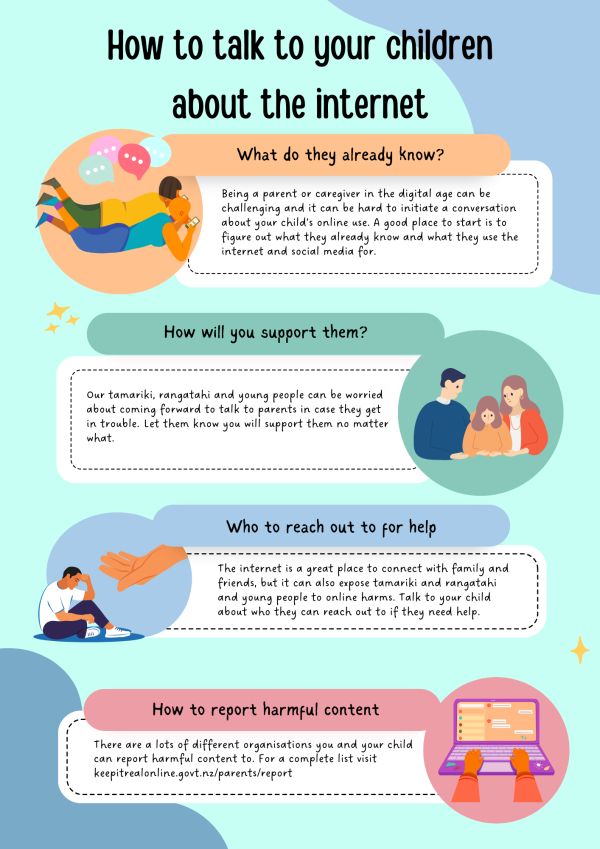
Head to keepitrealonline.nz for more info
As kaiako, club leaders and volunteers, we can:
Model safe online habits and AI use
Teach students not to share personal information
Show them how to properly manage their privacy
Use real world examples when teaching about data and passwords
Create clear and visible club guidelines about online conduct
Digital safety and well-being involves understanding potential risks and taking practical steps to protect young people while they use digital devices and the internet. It’s about being mindful of what we share, how we communicate, and how we manage information online, so learners can enjoy the benefits of technology without putting themselves or others at risk.
By working together across Aotearoa, we can empower tamariki to explore, create and connect safely online while building the confidence and skills they need for the future.